


What are the primary ZeeDrive features that will give you and your users a rich and optimised experience?
ZeeDrive configuration settings (network drives, users, groups, customisations) are stored in the ZeeDrive cloud service. You don’t need new on-premises infrastructure to host your ZeeDrive subscription as its all hosted for you.
ZeeDrive works with your virtual desktop infrastructure including RDS, Citrix, Azure Virtual Desktop, XenApp and RemoteApp. When users sign in to their virtual desktop, ZeeDrive will start up automatically and map the virtual network drives you have configured. From the ZeeDrive administration console, you can monitor the users connected to your virtual desktop infrastructure and manage the licences pools.
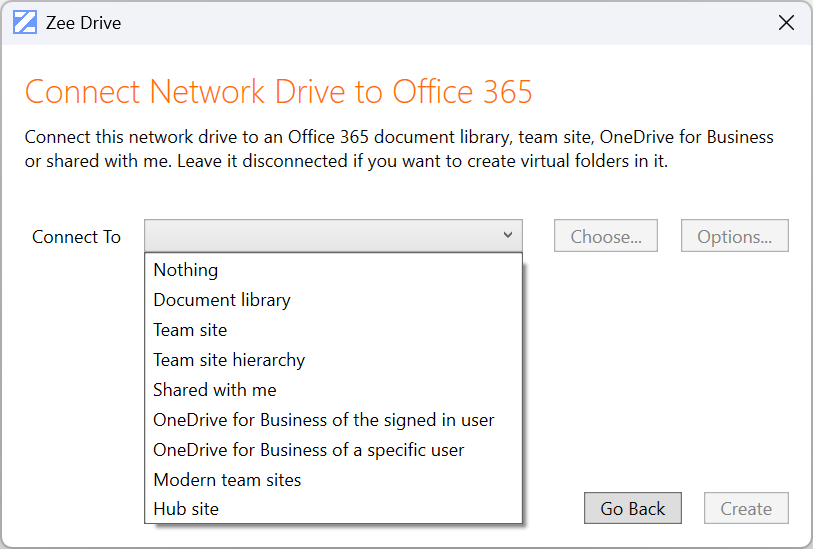
No matter how you have structured your file content in Microsoft 365, through ZeeDrive’s flexible network drive connection options, you can connect to your files in the best way that fits your needs. ZeeDrive supports connecting network drives to SharePoint document libraries, sub folders within document libraries, SharePoint site hierarchies, OneDrive, hub site hierarchies and Microsoft Teams.
Additionally, ZeeDrive’s support for virtual folders allow you to aggregate multiple connections under a single network drive.
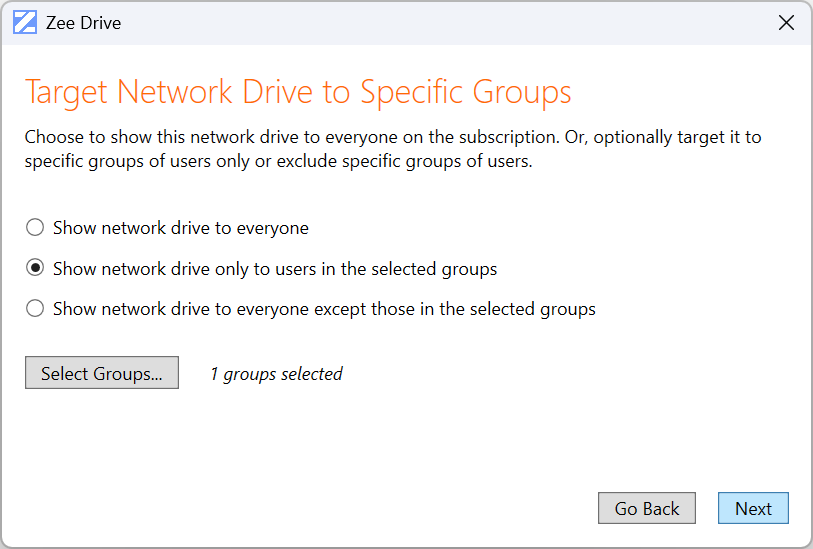
ZeeDrive’s support for group targeting means you can optionally apply network drives to computers based on users’ group membership, similar to Windows Group Policy Objects.
Deployment and upgrade of ZeeDrive can be automated via command line options. If you integrate ZeeDrive command line with a software deployment tool like Intune you can centrally control the ZeeDrive deployment process on endpoint computers. After activation of an endpoint computer, ZeeDrive will automatically start-up and map the drives after users sign in to Windows.
ZeeDrive is compatible with Microsoft 365 modern authentication, multi-factor authentication and Entra token protection. ZeeDrive supports single sign-on through ADFS and Entra joined computers.
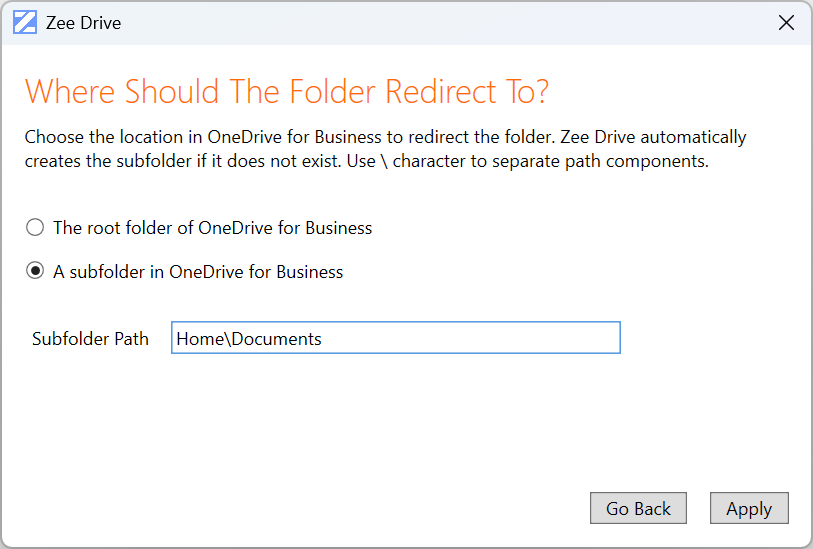
Through the ZeeDrive administration console, configure redirections of common Windows folders like Documents and Desktop to users’ OneDrive. You can redirect to the root of users’ OneDrive, or a subfolder within it. When users save files to the redirected folders on Windows, their files will be saved to their OneDrive.
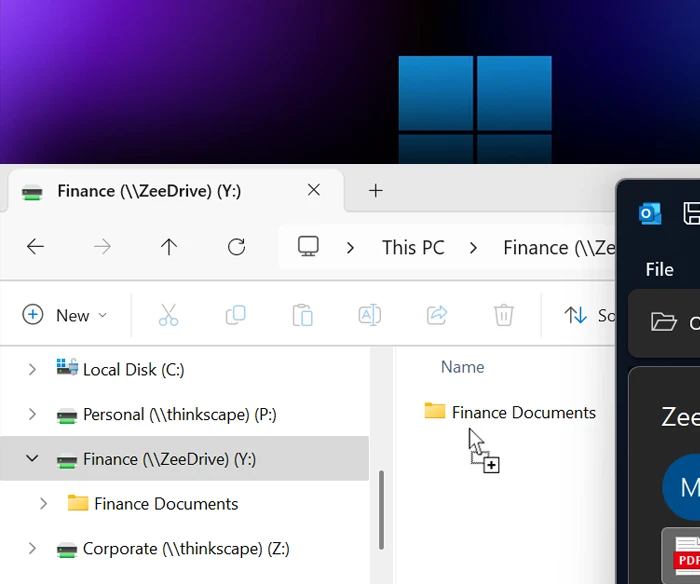
Network drives mapped by ZeeDrive are persistent between reboots. After users shutdown their computers and then return the next day and sign-in to Windows, ZeeDrive will start-up and map their drives, ready for them to continue working.
You can configure your ZeeDrive network drives with the same names and drive letters you used for your on-premises file server. This will help users to transition to cloud based file access whilst also preserving compatibility of any hard coded file path links embedded in files as the network drive names and letters will match those they were used to working with on-premises.
Changes from other users will automatically reflect in the users’ network drives promptly. If users need the changes faster, they can get changes on demand by hitting the F5 key in File Explorer on the folder they want to update.
From the ZeeDrive sub-menu on the File Explorer context menu, users can access a range of productivity functions for files and folders in their network drives such as; fast searches, file version history, file sharing, sending links, file recovery from the recycle bin and more.
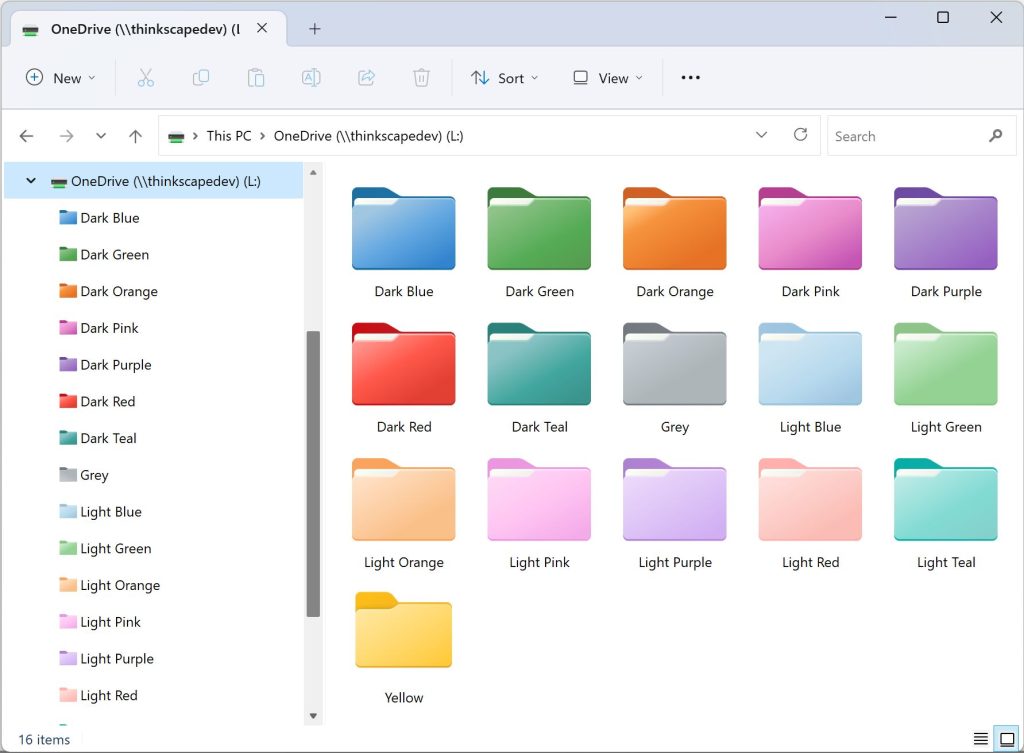
Users can leverage ZeeDrive’s support for folder colours in their network drives. Folder colours provide a useful means to categorise the purpose of a folder and to provide a visual queue for easier location amongst other folders. Users can choose from a palette of 16 different colours.
ZeeDrive supports Microsoft Office’s co-authoring and autosave features. If you have configured the setting in the administration console, when users open Office documents via the network drives in File Explorer, the documents will open with co-authoring and autosave enabled.
For architects and engineers, locking design documents is essential to ensure no conflicting changes with other users. ZeeDrive supports automatic locking of AutoDesk AutoCAD DWG files. If one user is editing a DWG file, then other users will have read only access to the file until it is closed by the editor. ZeeDrive preserves DWG version history so prior edits to drawings can be recalled.
ZeeDrive makes changes to files and folders in Microsoft 365 on demand, this mitigates the kinds of file and folder sync conflicts users may experience when using the Microsoft OneDrive sync tool.
Your users may have encountered the 300,000 files and folders sync limitation of the Microsoft OneDrive sync tool which may inhibit them from accessing their files via File Explorer. ZeeDrive does not have this limitation (the only limitation being only the capacity of your computer) meaning that your users can access all your Microsoft 365 files from their computers – you don’t need to make compromises over which libraries to sync.
ZeeDrive downloads only the portions of a file that are necessary to satisfy the request. For large files such as videos, this means users can skip ahead to the parts of the video they want to watch without the entire video file being downloaded.
ZeeDrive stores only the file data requested to satisfy file system requests. This keeps disk space usage low.
Folder structures are cached, if users return to folders previously visited they will display quickly ZeeDrive is reading from cached data structures.
USA
Teresa, Blumetech

Move to the cloud
Wow - this is AWESOME software! Must have for anyone who wants to move to the cloud but keep the feel of the file server.
Canada
David, IT Director, Park'N Fly
Good service
We are very happy with ZeeDrive. Its a solid service and causes us zero headaches.
UK
Ian, Uniq Technology
No sync errors
We just love Zee Drive. No more sync errors to deal with!
Switzerland
Yves, CEO, Bonsana
A joy and pleasure
We love your product, I don't know how we managed without it. It's really a joy and pleasure to work again like we did on a local fileserver but with all the benefits of the cloud!
Norway
Terje, CRM Norge
Familiarity of drives
Our customers really like the familiarity of network drives and didn't want to lose that moving to Office 365. Zee Drive was just what we were looking for.
Australia
Jim, Computerworks
Cloud syncing
The users think the drives are on a Windows Server even though I tell them they're in the cloud.
Hong Kong
John, Stanton Chase, Hong Kong
Recommended
We cannot live without ZeeDrive.
Israel
Avi
Excellent!
I just wanted to point out that the product is excellent, you thought of almost everything and we will happily continue to market it to our customers.
Sweden
Anders
AutoCAD files on SharePoint
We are very happy with it since in makes it possible for us to put all our AutoCAD related files on SharePoint.
New Zealand
Peter
Solved many problems
I sing ZeeDrive’s praises, I love the software so much, it’s solved so many problems for our clients.